Improving a player’s shot requires accurate feedback on movement and form.
However, most existing solutions rely on phone-recorded videos for AI analysis.
These recordings introduce too many uncontrolled variables:
Inconsistent lighting
Through discussions with designers and engineers and a review of existing products, several patterns began to emerge about how teams were designing and building interfaces.
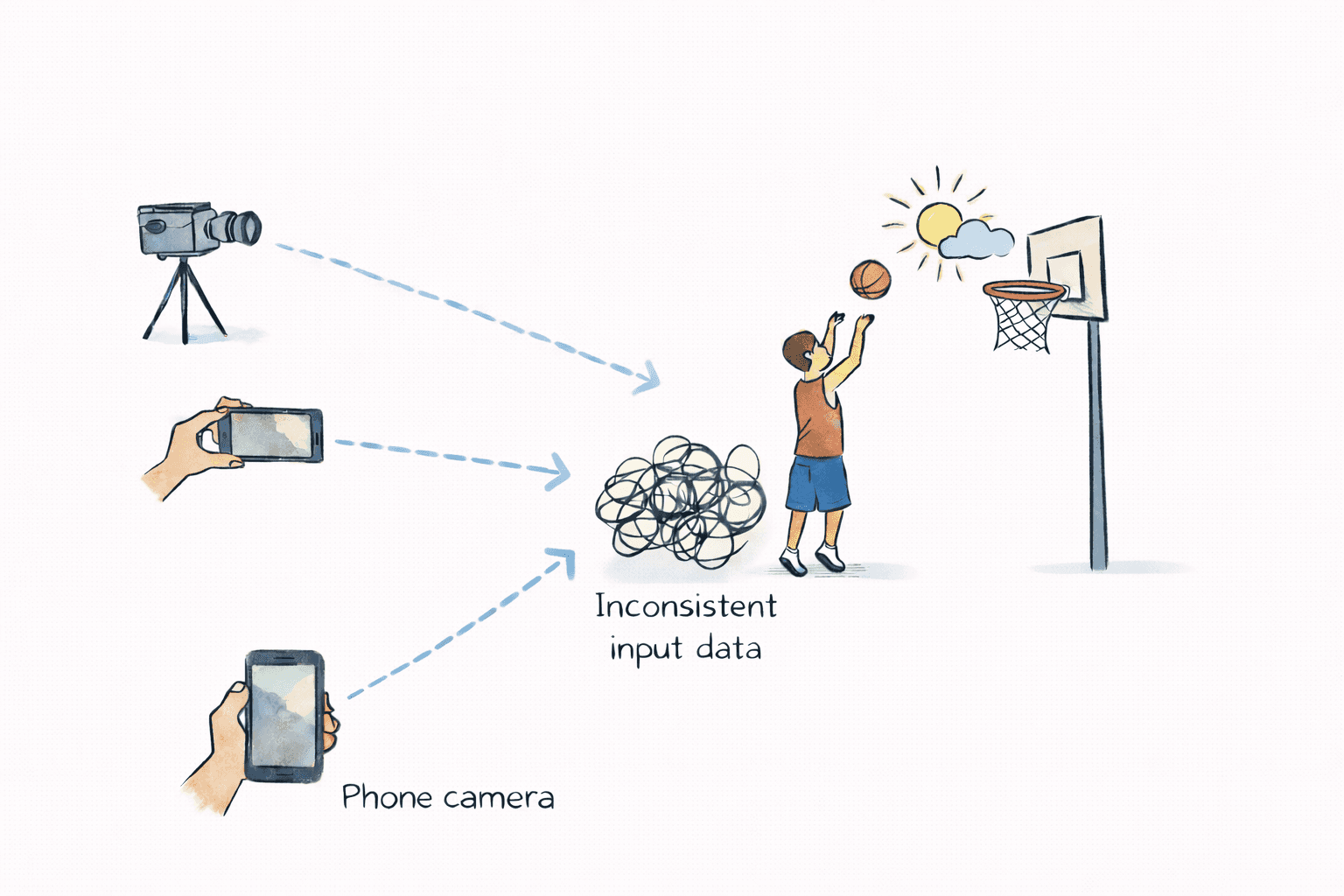
To provide reliable AI feedback, we needed to understand how player performance is currently captured and analyzed.
This exploration revealed limitations in existing approaches and helped us define a more reliable system architecture.
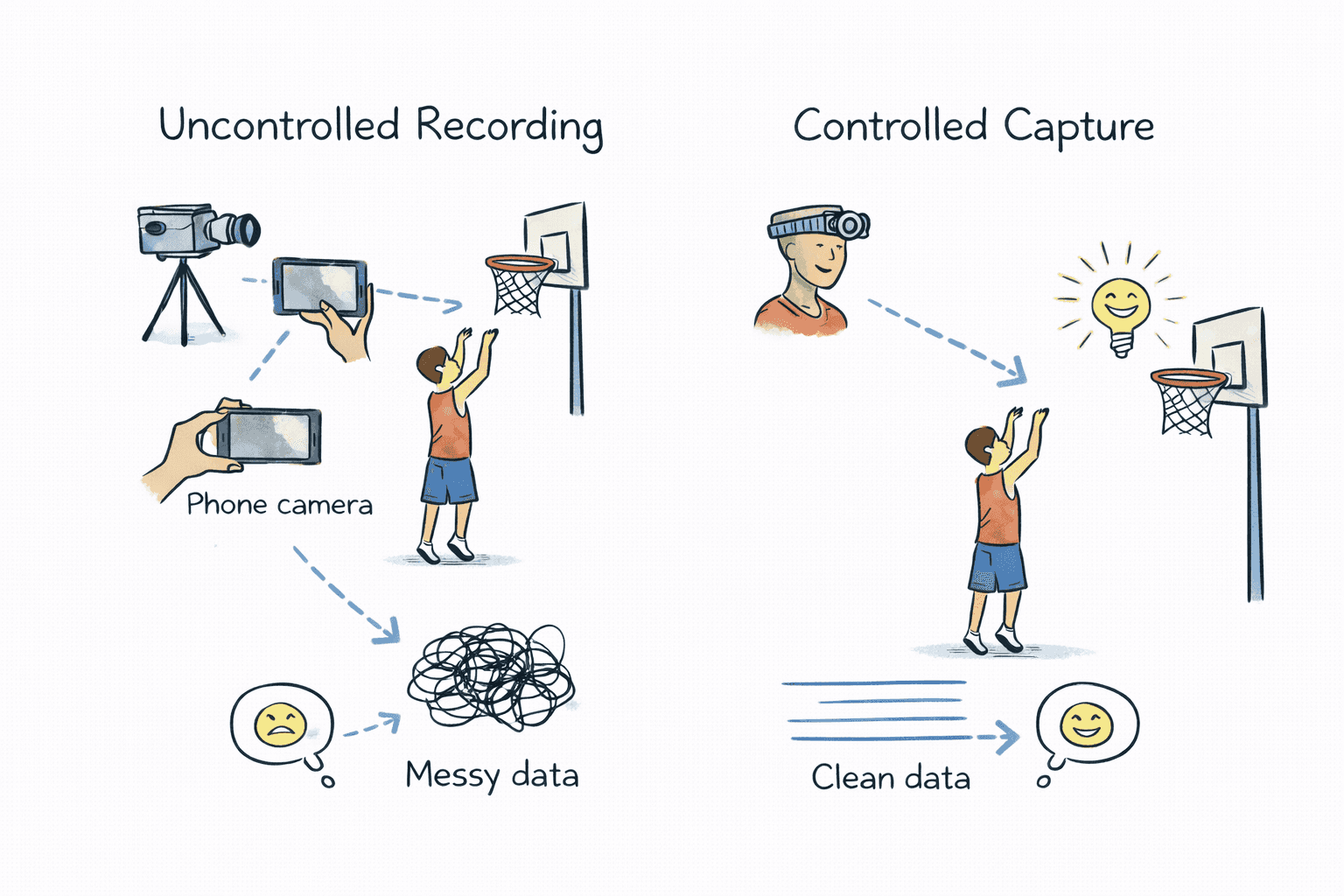
Img 2 : Uncontrolled recording conditions—such as camera angle, device type, and environment—produce inconsistent input data for AI analysis.
Most basketball training tools analyze performance using phone-recorded videos combined with AI models.
While accessible, this approach relies on uncontrolled recording environments, making consistent analysis difficult.
AI feedback quality depends on consistent and repeatable input data.
When camera position, lighting, and recording conditions vary, the model receives inconsistent data, reducing the reliability of insights.
Instead of analyzing uncontrolled recordings, we shifted the approach to control how the data is captured. The team proposed a device–mobile ecosystem:
The wearable device improved data consistency but introduced a new challenge — coordinating interactions between hardware, mobile, and the AI pipeline.
The mobile app had to manage device connection, recording, data upload, and analysis states while keeping the system reliable.
These constraints shaped how the experience was designed.
The device and mobile app required a stable connection during recording and data transfer.
Connection failures could result in incomplete sessions.
Recording had to trigger simultaneously on both the device and mobile app.
Incorrect state transitions could cause missed or duplicate sessions.
After recording, sessions were uploaded and analyzed by the AI system.
The interface needed to prevent conflicts while communicating progress.
To ensure reliable analysis, the mobile experience had to coordinate device connection, shot capture, and AI processing.
To deliver reliable AI analysis, the mobile experience had to coordinate device connection, shot capture, and AI processing.
The challenge was translating complex system states into a clear and predictable workflow for players.
Step 1
Before recording could begin, the app needed to establish a stable connection with the wearable device.
Step 2
Recording required synchronization between the device capture and the mobile session.
Clear recording states ensured sessions started and stopped reliably.
Step 3
After recording, sessions were uploaded and analyzed by the AI system.
Progress indicators surfaced background states:
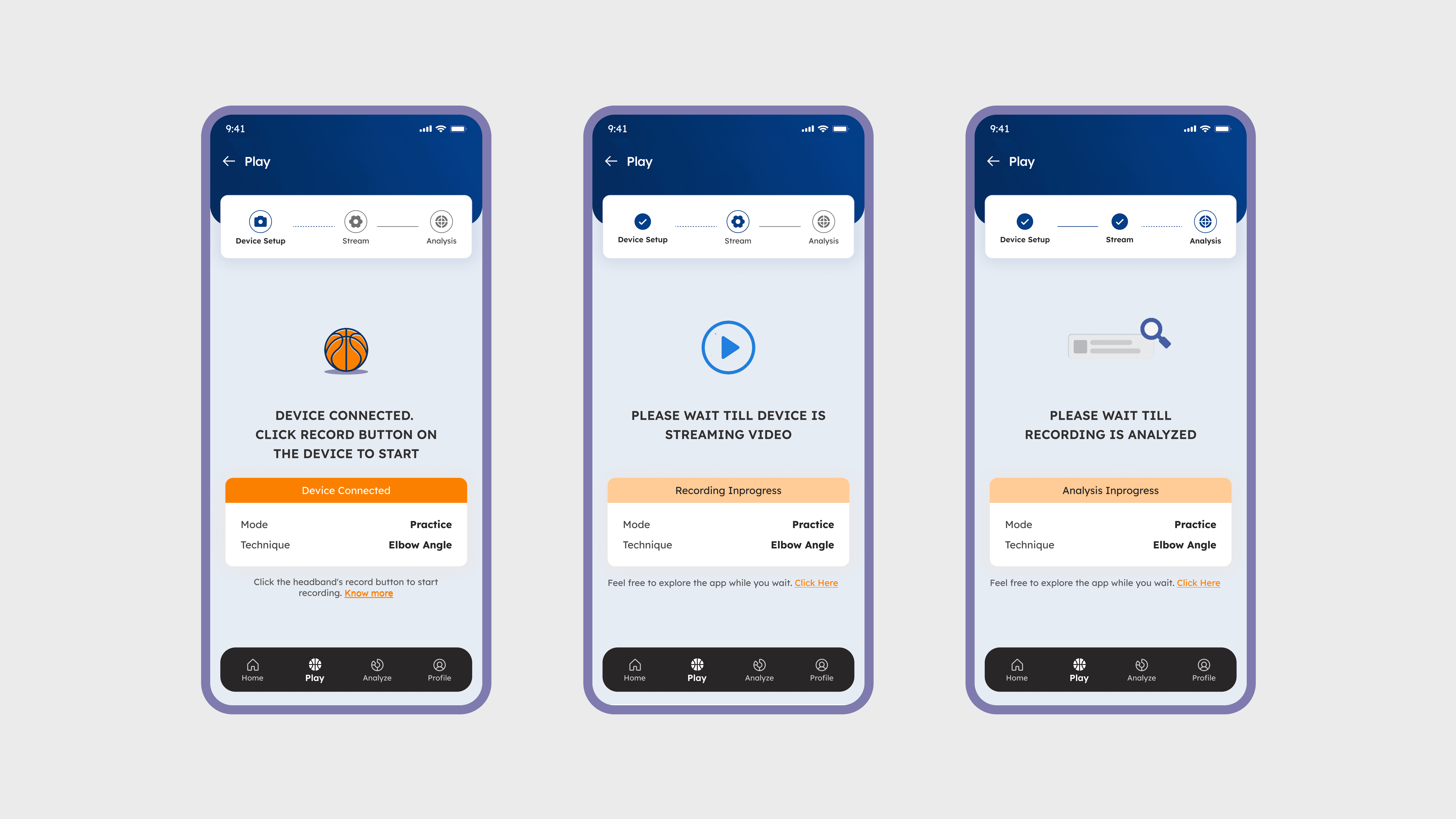
Img 3 : Clear system states guide players through the session workflow, from device connection to recording and AI analysis.
As we tested the system, we iterated on how the mobile app communicated device activity and long-running processes during practice sessions.
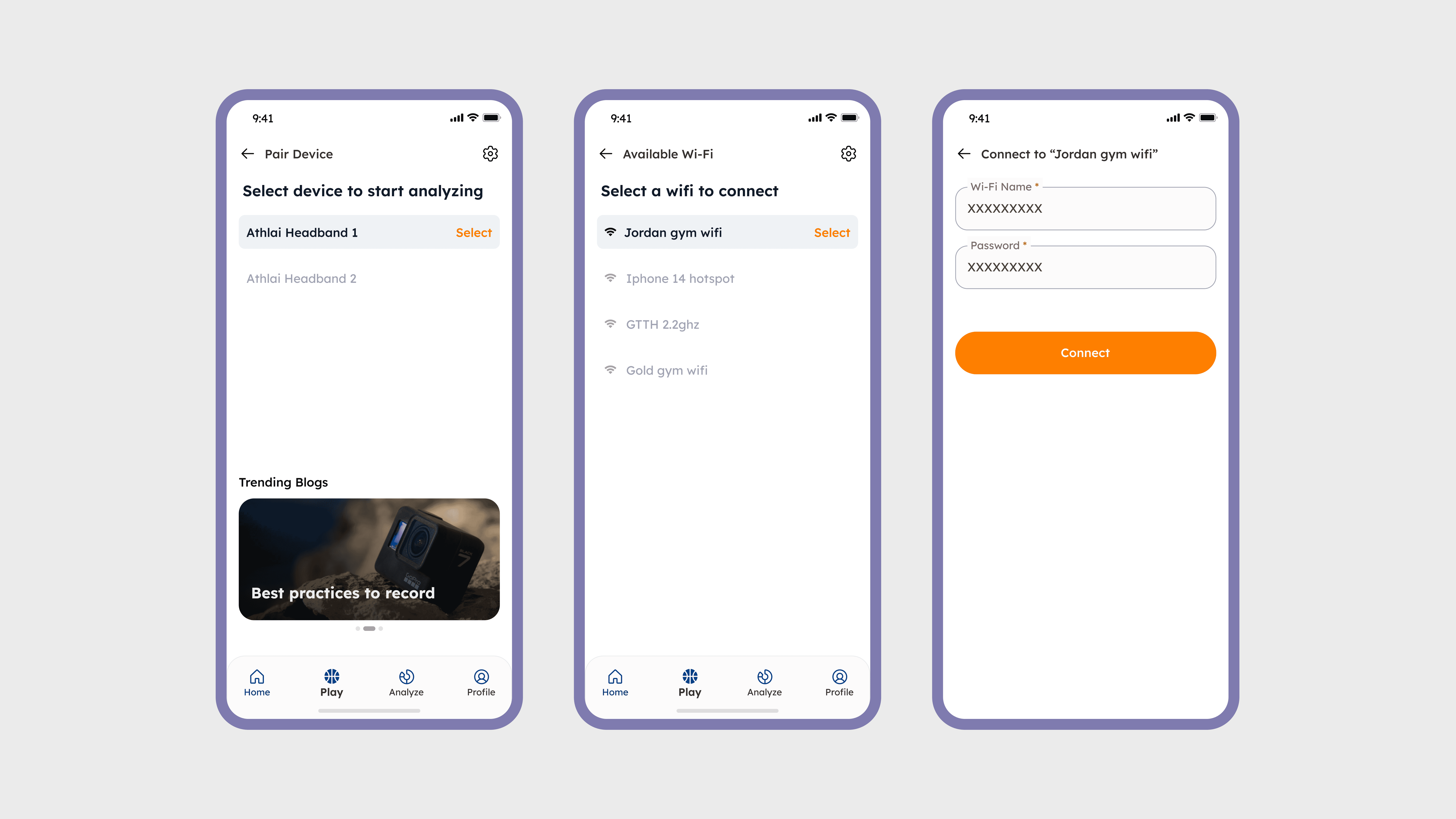
Img 4 : Initial device setup required connecting the wearable through Bluetooth and Wi-Fi before recording sessions could start.
Version 1
The first version focused on establishing device connectivity through Bluetooth and Wi-Fi.
Once connected, recording was triggered directly from the device, with minimal feedback in the mobile app.
This left players unsure about what the device was doing at any given moment.
Version 2
To address this, we introduced real-time activity screens that reflected the device’s current state.
The mobile app now surfaced system progress such as:
Recording video
Analyzing session
Analysis complete
While this improved clarity, users were locked into a single screen during processing, limiting navigation.
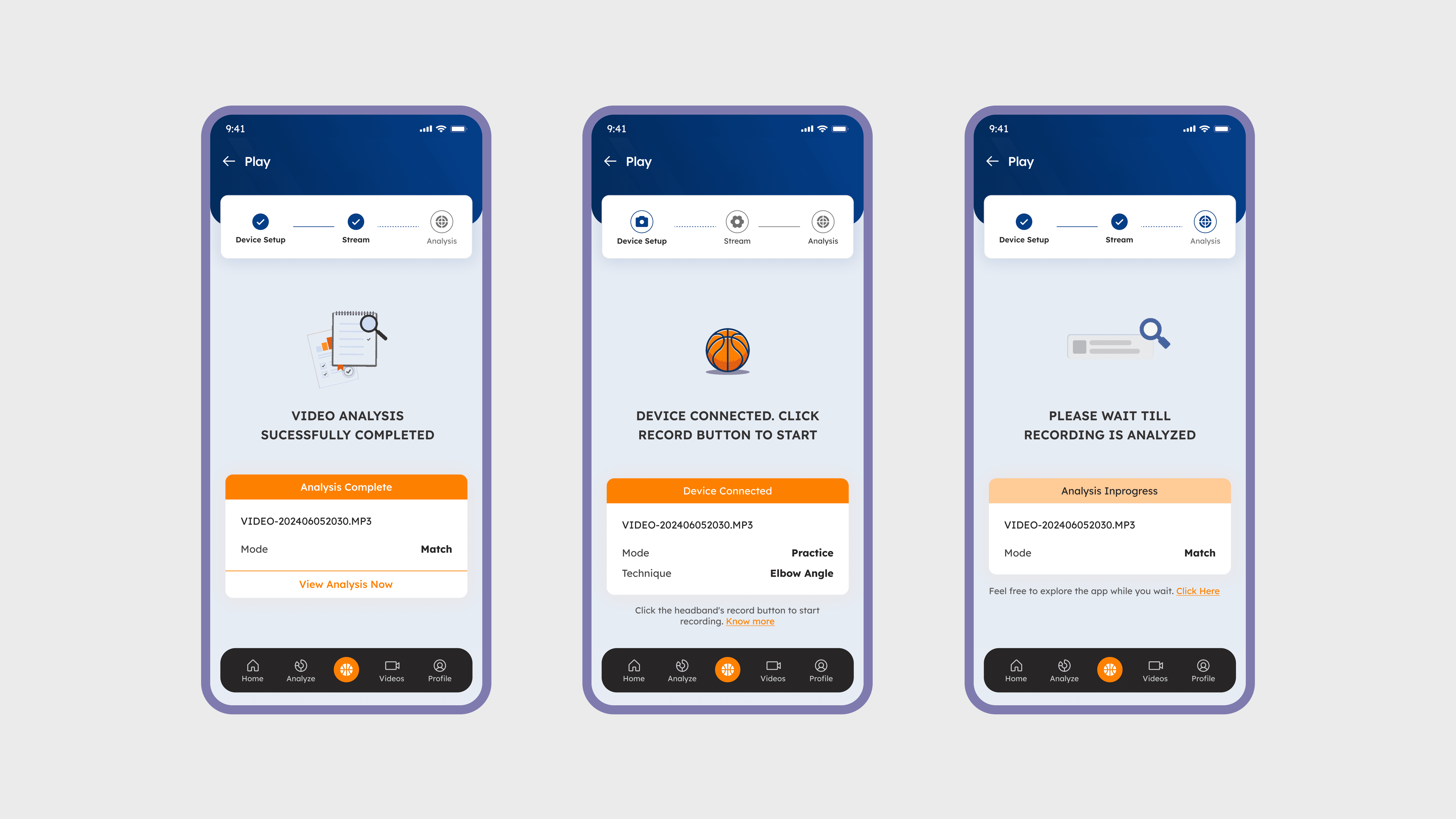
Img 5 : Real-time activity screens reflected the device’s current state, helping players understand recording and analysis progress.
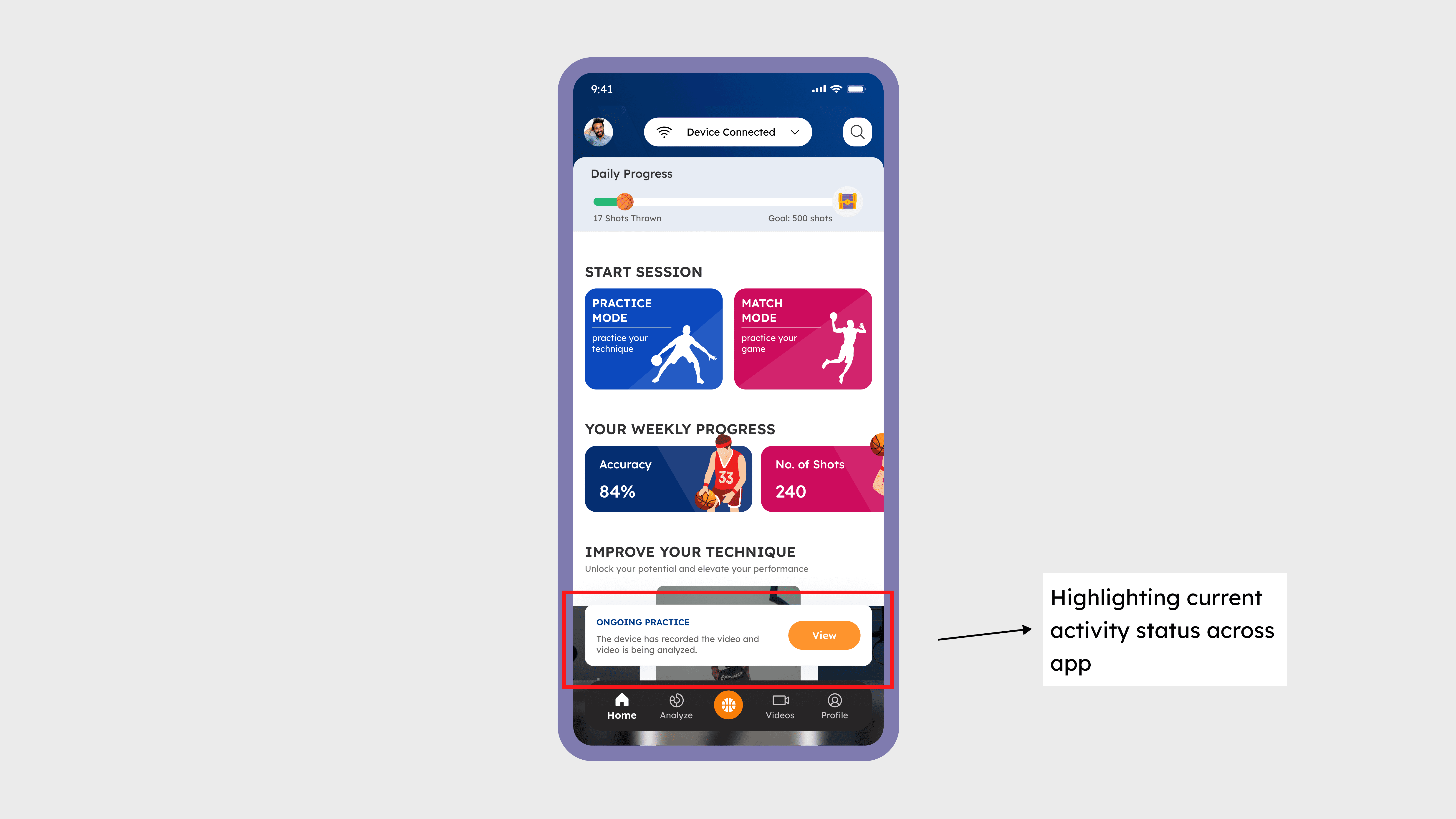
Img 8 : Background status indicators provided continuous visibility into session progress without interrupting the user’s workflow.
Version 3
To improve flexibility, we introduced persistent status indicators inspired by background task patterns.
These status chips remained visible across the app, allowing players to move freely while still understanding system progress.
Connected
Recording
Uploading
Analyzing
This approach provided continuous system awareness without interrupting exploration.
The redesigned workflow improved how players interacted with the device–mobile–AI system during practice sessions, making recording and analysis more predictable.
Faster Device Setup
Clear recording states ensured sessions were triggered and captured consistently, reducing missed or incomplete recordings.
Persistent status indicators allowed players to track recording and AI analysis progress while continuing to explore the app.
Designing a connected device–mobile–AI system required thinking beyond screens and focusing on system states, reliability, and cross-team collaboration.
Working with a wearable device shifted the focus from individual screens to end-to-end workflows across device, mobile, and backend systems.
Making System States Visible
Connectivity limits and processing delays required designing clear system states so users always knew what the product was doing.
Balancing Control with Flexibility
The system required strict state coordination while still allowing users to navigate freely during recording and analysis.
Cross-Team Collaboration
Close collaboration with hardware, mobile, and ML teams ensured the interaction design aligned with technical constraints and system reliability.